
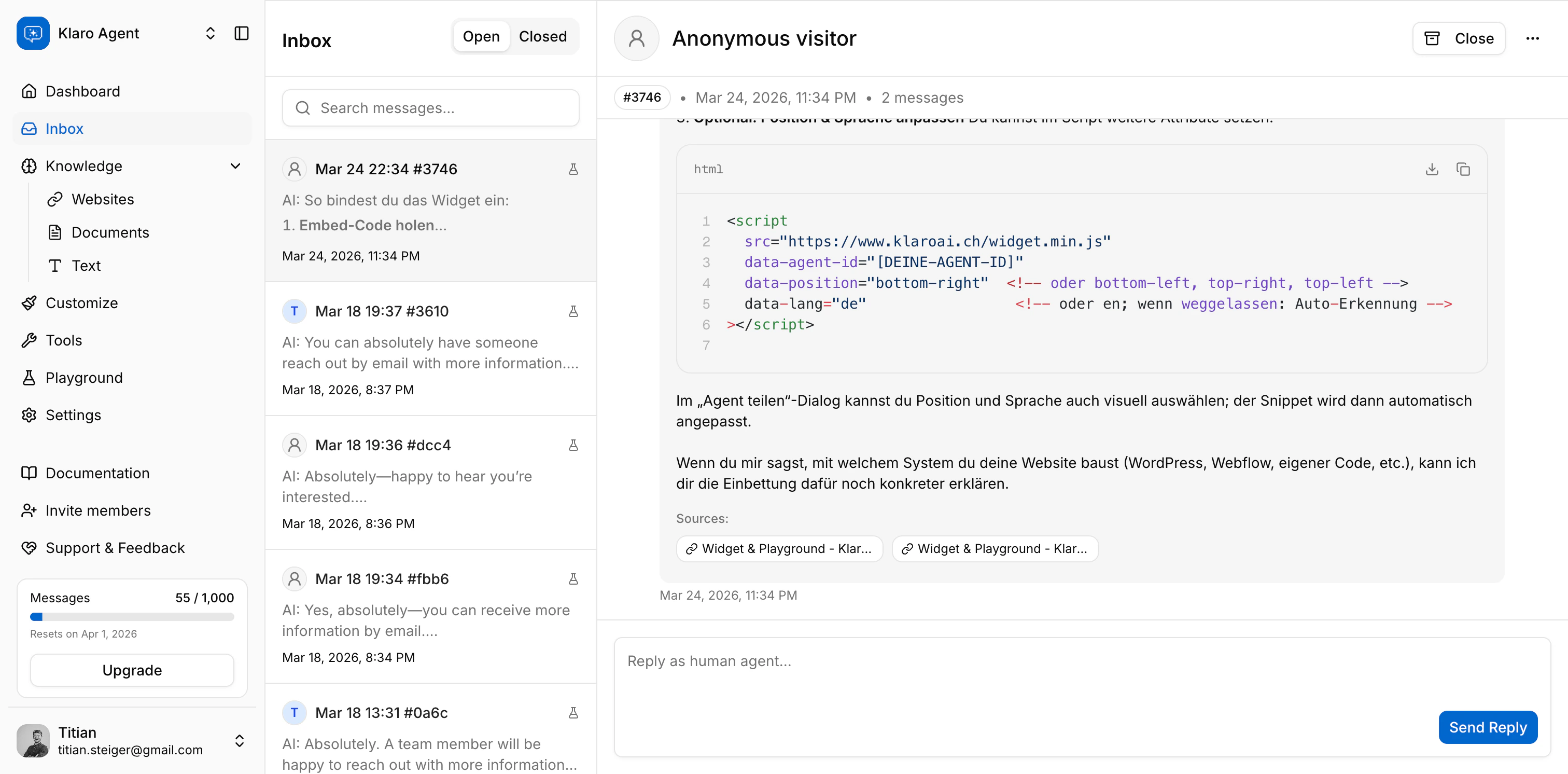
Conversation statuses
Every conversation is either Open or Closed.- Open - the conversation is active. The reply composer is available, and the thread can receive new messages.
- Closed - the conversation is archived. The thread is read-only; there’s no reply box. You can reopen it at any time.
Unread tracking
A blue dot next to a conversation means there’s something new that needs your attention. Conversations are marked unread when:- The AI escalates the conversation to a human
- A visitor sends a message in an already-escalated thread (one that a human is handling)
- A visitor submits their contact details via the lead capture form
Navigating and searching
The conversation list is sorted by most recent activity - the latest message or event rises to the top. Search the current tab by typing in the search bar. The query needs to be at least 3 characters. Search looks through message content in the active tab (Open or Closed). You can deep-link directly to a conversation - the URL updates to?conversationId=... when you select a thread, so you can bookmark or share a specific conversation.
Human takeover
When a conversation needs a human touch, you can jump in and reply directly from the inbox. This works regardless of whether the Human Escalation tool is enabled on the agent. How it works:- Open an escalated conversation (or any open conversation you want to take over)
- Type your reply in the “Reply as human agent” composer at the bottom
- Hit Send Reply
Viewer note: Viewers can read conversations but can’t send replies, close threads, or delete conversations.
Conversation actions
Close and reopen
Click Close in the conversation header to archive a thread. The conversation moves to the Closed tab and the reply composer disappears. Click Reopen to bring it back to Open. You need Editor or Owner access to close or reopen conversations.Delete
Open the menu (⋯) in the conversation header and choose Delete. A confirmation dialog shows the conversation title and message count before you confirm - deletion is permanent and can’t be undone.Reply as human
Type in the reply composer and click Send Reply. The composer is only available on open conversations. Messages have a maximum length of 5,000 characters.Leads in the inbox
When a visitor submits their contact details through the lead capture form, their name and email appear in the conversation header - replacing the generic “Anonymous visitor” label. What you’ll see:- Name and email in the conversation header (name as the title, email as the subtitle)
- Initials avatar generated from the lead’s name or email
- Lead capture context - a collapsible section in the thread showing the brief context the AI noted when it offered the form (e.g. “visitor asked about a demo”)
Playground vs widget conversations
A small flask icon (🧪) next to a conversation means it came from the Playground - the built-in test chat you use to try your agent before going live. Conversations without the icon came from your embedded widget on your site. Both types land in the same inbox and behave identically. The icon is just a handy visual cue so you can tell your own test conversations apart from real visitor conversations.Next up: Integration → Widget & Playground - get your embed code, test your agent live, and share a public chat link.